
From interruption to interaction: a UX case study on push notifications
Designing a context-aware event app for customer engagement
Building an iOS app to explore how to design timely, relevant, human-centered communication in mobile products.
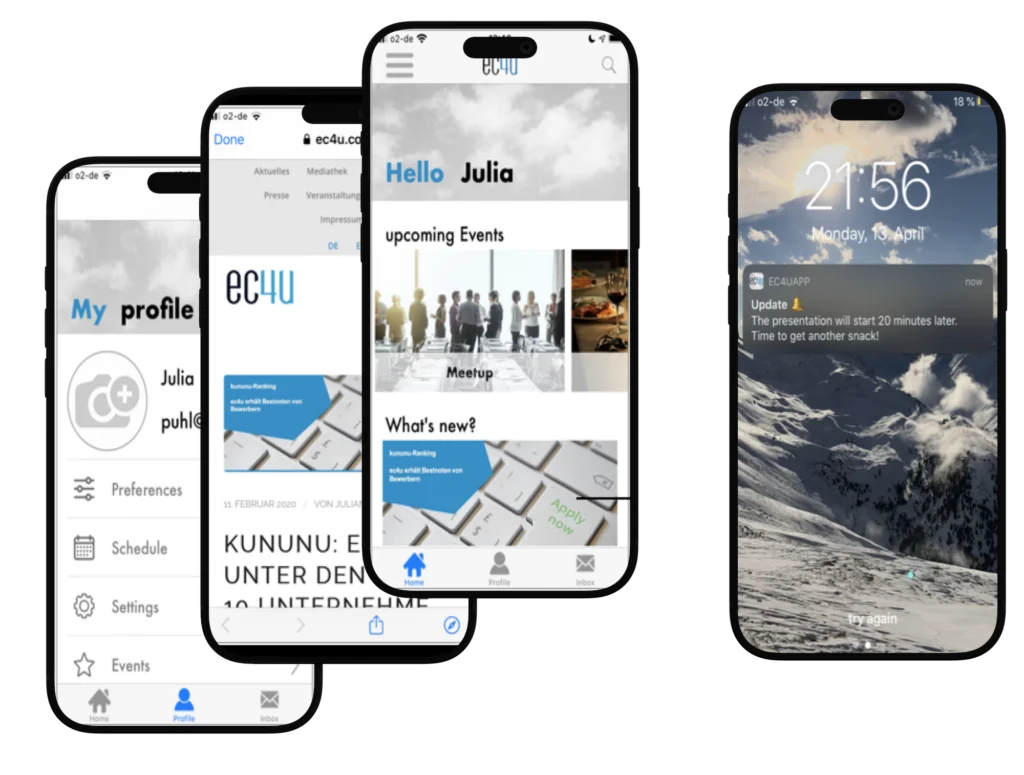
Role
UX/UI Design, Research, Interaction Design, Mobile App Development
Duration
8 months
Tools
Figma, Swift, Xcode
Focus
Mobile UX, Customer Journey, Push Notifications, Service Design
Problem
Push notifications are one of the most direct ways to reach users and widely used in digital marketing — but they often fail to deliver value to the user because they are:
- too generic and not personalized,
- poorly timed,
- disconnected from the current user’s context.
At the same time, companies struggle to communicate effectively across digital channels.

How to design context-aware push notifications for customer engagement across the customer lifecycle?
Context
Key Insights
- Customer communcation happens across multiple channels.
- Its effecitveness depends on timing, relevance, user context and channel choice.
- Push notifications are particularly powerful because they are immediate, visible and interactive.
Approach
Instead of designing notifications as standalone messages, I approached the problem from a user journey perspective.
I mapped communication across the lifecycle of an event and explored where push notifications provide real value.
User Journey:
The solution focuses on an event experience, where communication happens across multiple stages:
Registration
Reminder
Welcome
During the event
Follow-up
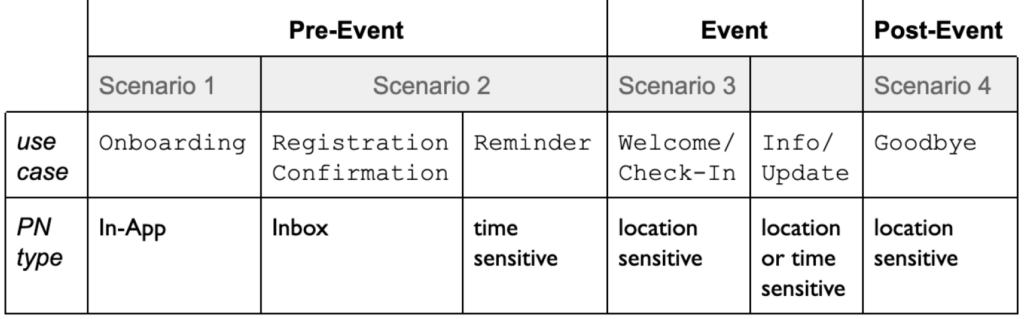
Notifications are most useful when they match the user’s situation in time and context.
Use Cases
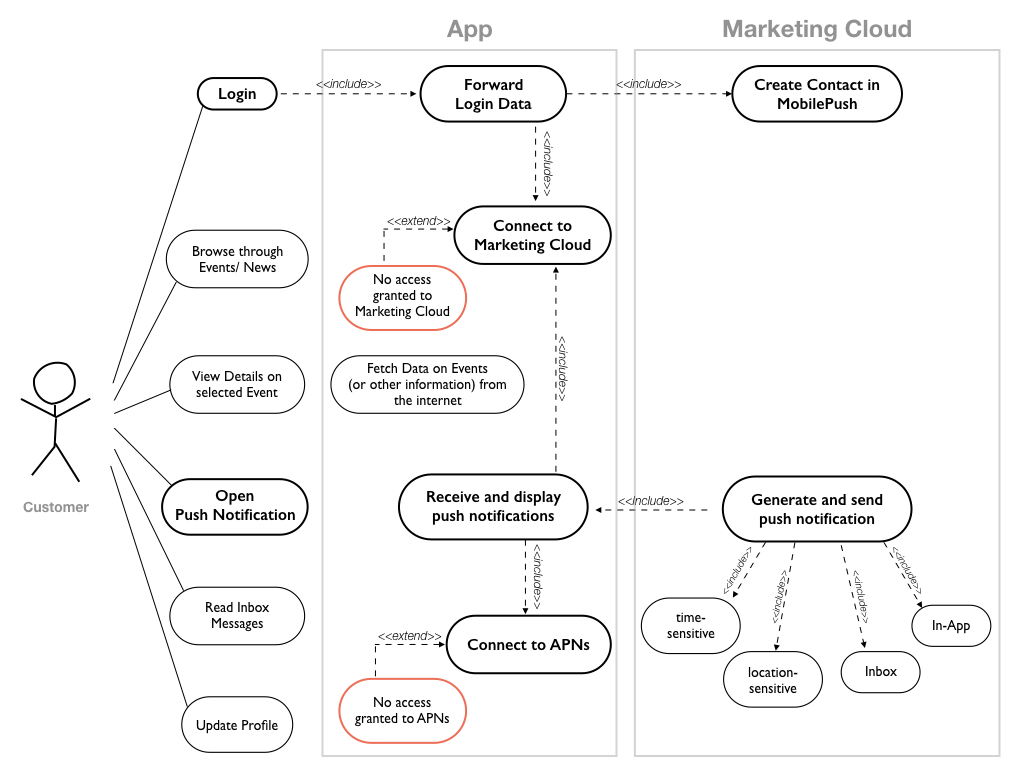
Use Case diagram for the app with focus on Push Notifications
Key Design Decisions
Context-aware triggers
Time-based → event reminders
Location-based → welcome messages
Inbox → persistent information
Persistence through inbox
Important notifications are saved in an in-app inbox.
Low-friction interaction
short, actionable notifications
Supporting, not interrupting
notifications that
→ guide user
→ lead to useful content
Product Concept
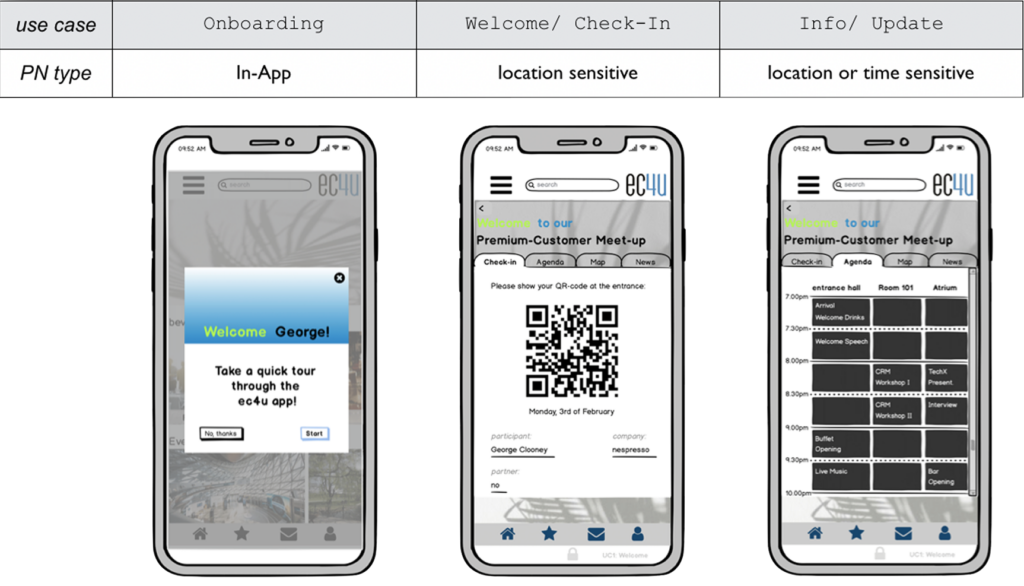
Use cases matched with a suitable type of Push Notification
Solution
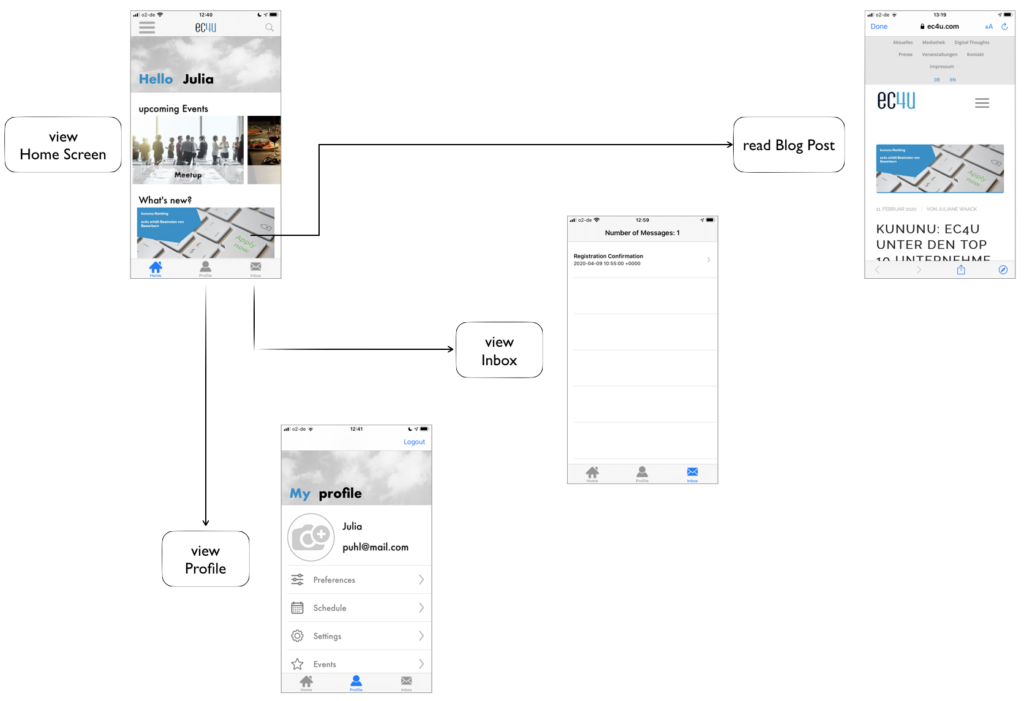
App Flow after registering/ logging into the app
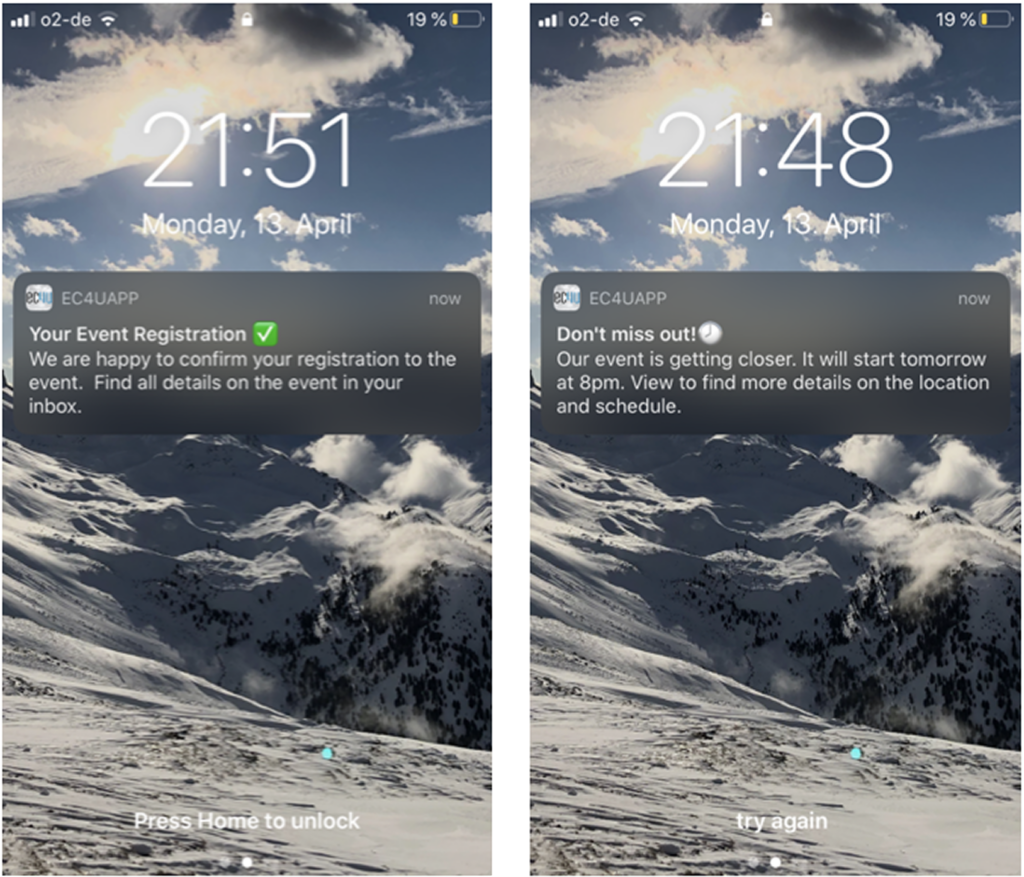
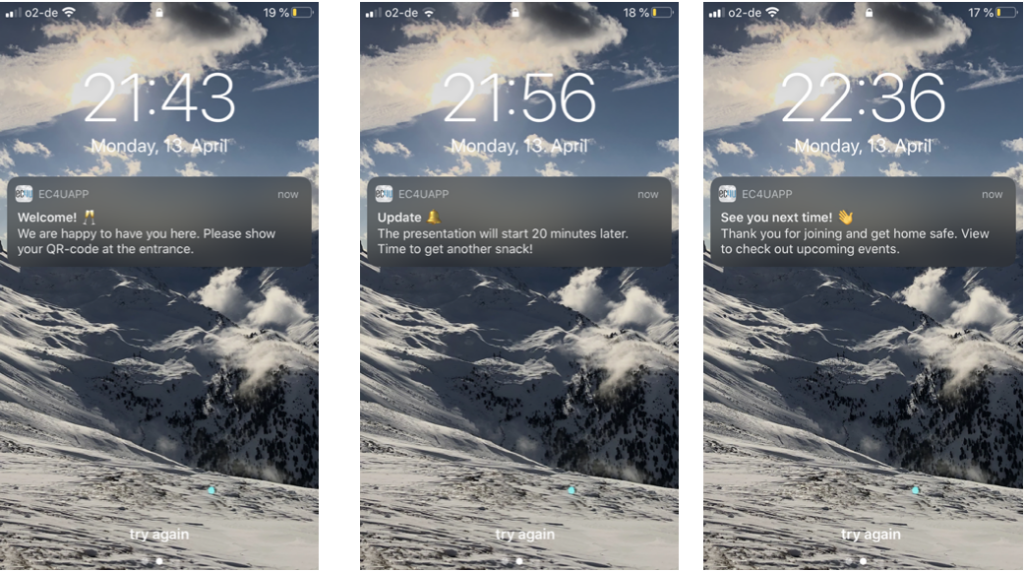
Implemented Push Notifications through the customer lifecycle at the example of an event
Learnings
Notifications are not a feature — they are part of a system
Their value depens on timing, relevance and interaction.
UX extends beyond screens
Designing this experience required thinking across devices, system, user situations.
Context is everything
The same message can be:
helpful, if well-timed
annoying, if irrelevant