
Designing Human-Centered Automation for Fitness Coaches
Balancing AI and human expertise in training plan creation
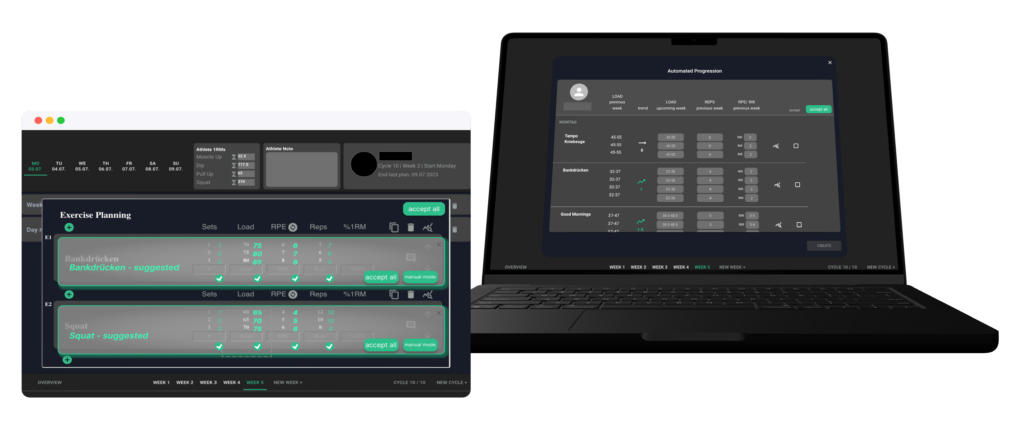
Designing and evaluating an automated training plan feature for fitness coaches, focusing on how automation can support — not replace — expert users.
Role
UX Research, Interaction Design, Prototyping, Frontend Implementation
Duration
8 months
Tools
Figma, React, Typescript
Impact
Reduced planning time & improved workflow efficiency
Problem
Fitness coaches spend hours every week creating individualized training plans for multiple clients.
This process is highly repetitive, time-consuming, and requires constantly reviewing past performance data.
existing tools either:
fully automate decisions & remove human control or require fully manual input

How to support users to reduce repetitive tasks while preserving their control and expertise?
Users & Context
Target Users
- Fitness trainers (mostly powerlifting / bodybuilding)
- Often part-time professionals
- Managing multiple clients (one-to-many problem)
Key Insights
- Trainers are highly motivated and value personal coaching
- Planning is one of their most time-consuming tasks
- They are open to technology but cautious about automation
Research
Methods
- Pre-study survey (user needs & workflows)
- Prototype feedback sessions
- 6-week in-product study with real users
- Behavioral tracking + qualitative feedback
Participants
- 26 trainers
- Mixed experience levels
- Mostly managing <10 clients
Key UX Problems Identified:
- Repetitive workflows: manual updates follow predictable patterns
- Context switching: checking past trainee performances requires navigating multiple screens
- Trust in automation: fear of losing control or quality
Design Principles
Augment, don’t replace
Automation should assist expert decisions, not make them.
Transparency builds trust
Users need to understand how suggestions are generated.
Maintain user control
Trainers must be able to review, modify, and override everything.
Reduce effort, not quality
Speed should not compromise accuracy or personalization.
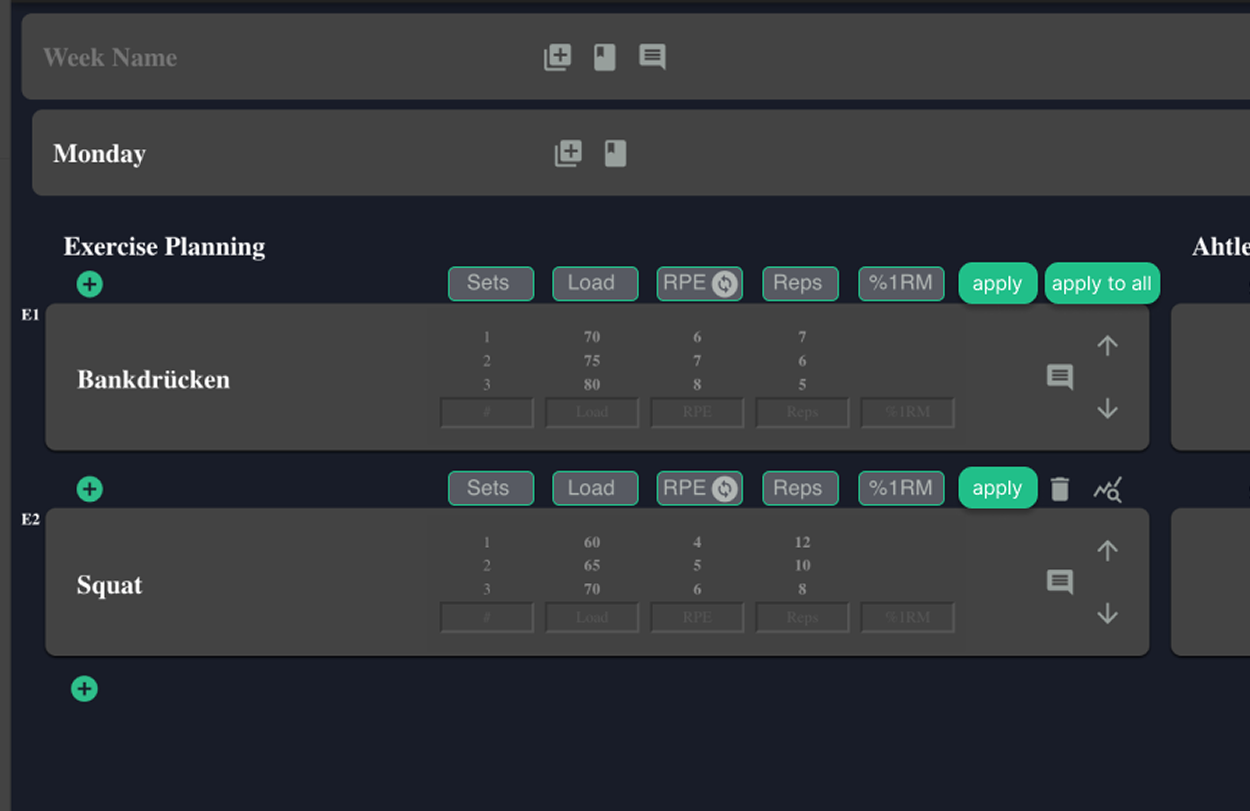
Automation 0 –
no automation, only manual user input
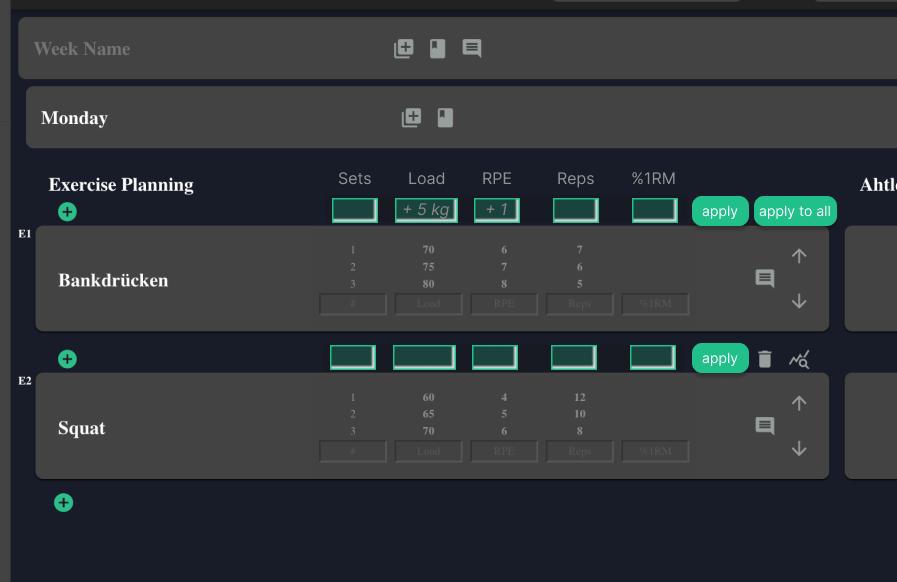
Automation 1 –
medium automation, manual input possible
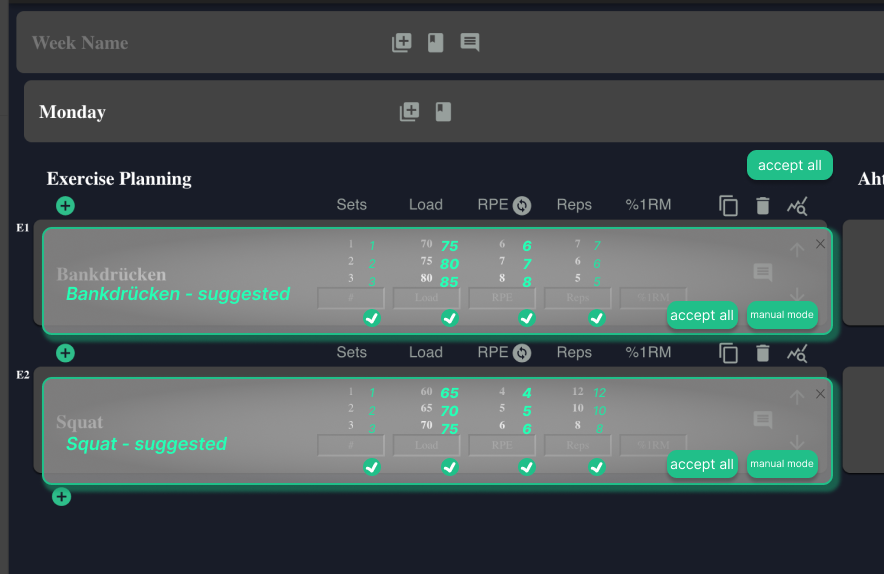
Automation 2 –
only automation, no manual input
Solution
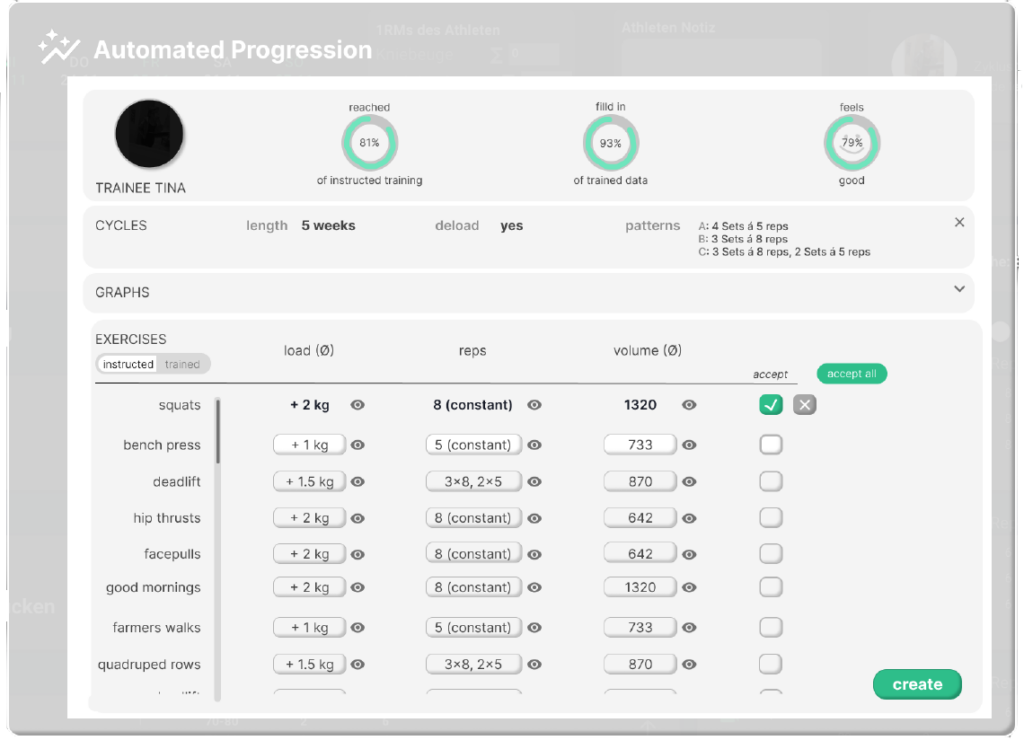

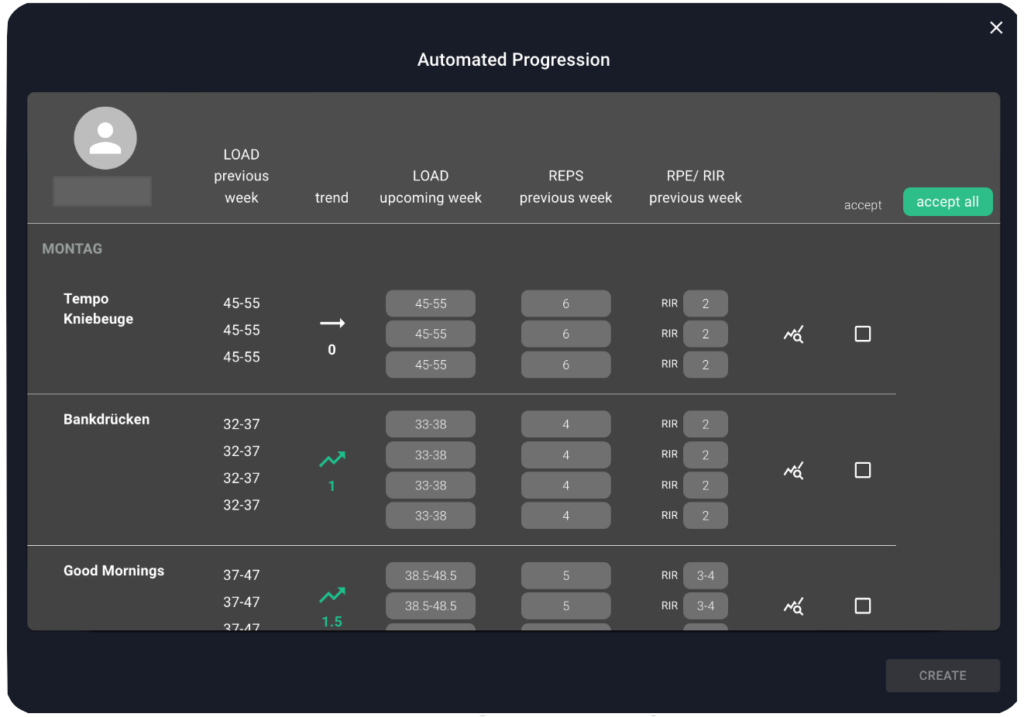
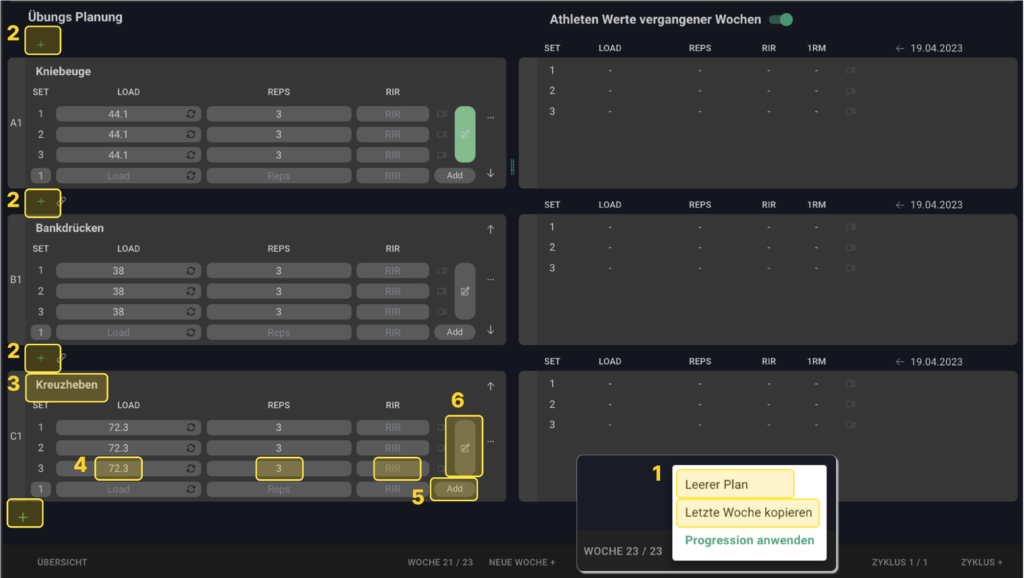
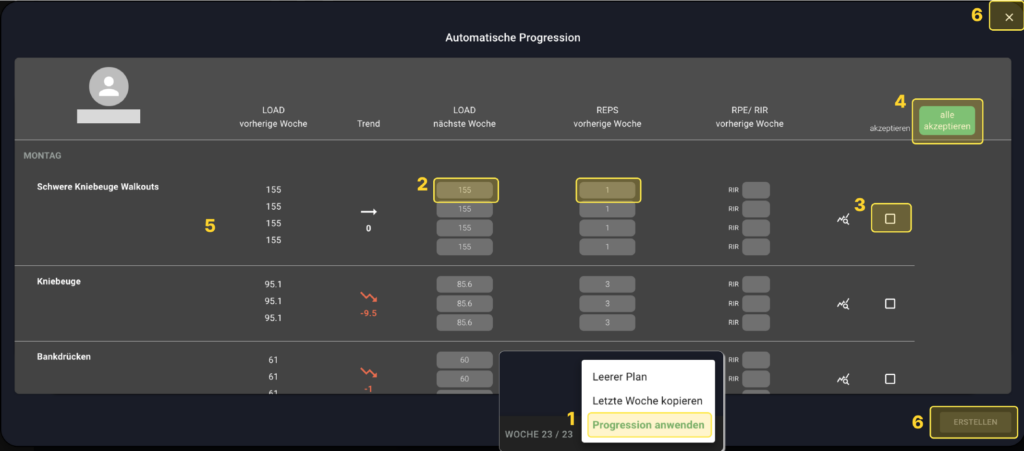
Lo-Fi Prototype to Implementation of the Automated Training Plan Tool
Graphic: Julia Pühl
Using the Automated Training Plan Tool
User Study
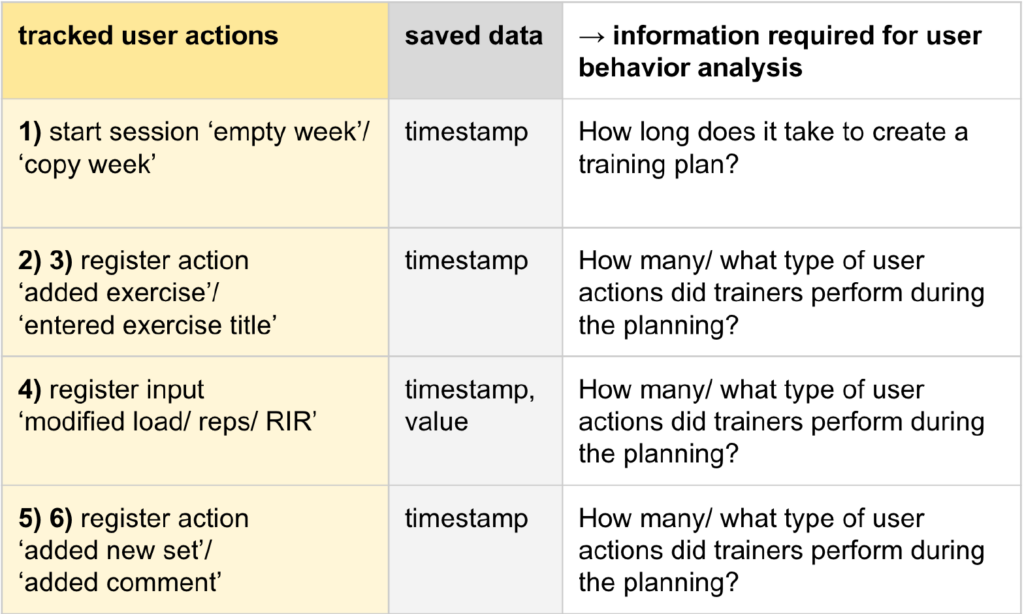
Tracked user actions with the old existing training plan interface:
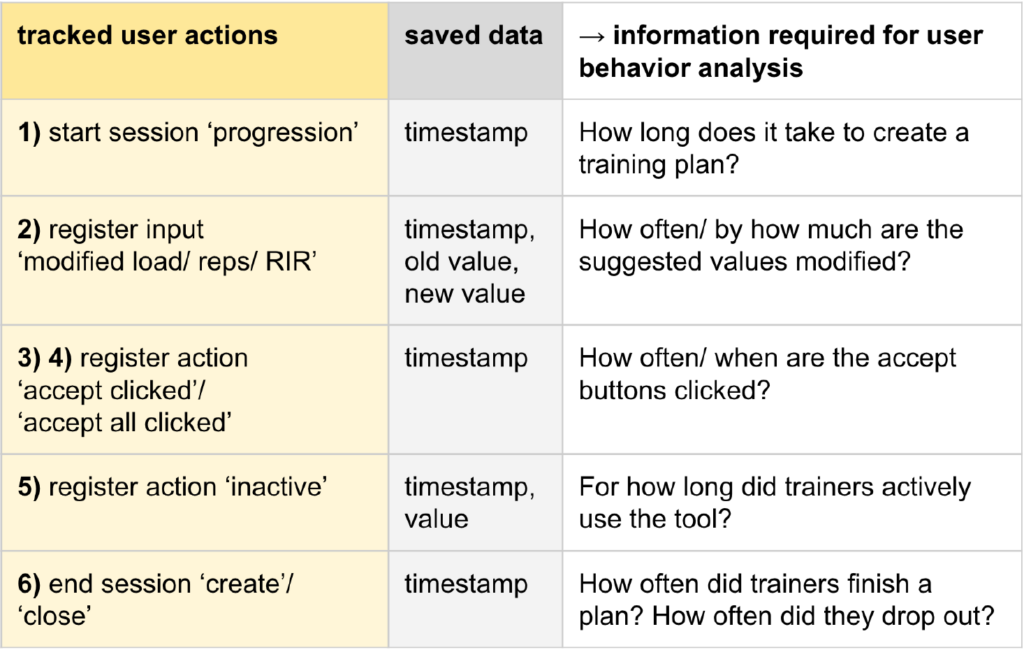
Tracked user actions with the new training plan interface:
Learnings
Trust is the core UX challenge in AI
Users don’t reject automation – they reject loss of control
Efficiency ≠ fewer actions
Users still interacted a lot
→ but worked faster due to better information design
Human-centered automation works
Best results happen when:
human decides
system suggests
Reduce effort, not quality
Speed should not compromise accuracy or personalization.